
* List the items that are on top of the MAC Desktop.
Apple System menu, Finder menu, File, Edit, View, Go, Window, Help, Bluetooth, Wifi, Volume, Battery, Day and time, and Search
* How do you know that an application is currently open and running in the Dock?
You know the application is running when there is a black small black arrow underneath it in the dock.
* When minimizing an application, where is it located?
When the application is minimized it is put in the dock.
* What menu do you use to shut down application that is not responding.
In order to shut down an application that isn't responding you use the apple system menu.
* When inserting your flash drive into the MAC, where is the drive displayed?
The flash drive is displayed in the desktop as a drive icon.
* What folder stores your software that is installed on the MAC?
The software is stored int the application folder in finder.
* What version of MAC is installed on your laptop?
Mac OS X version 10.4.11
Friday, February 20, 2009

Wednesday, February 4, 2009
How Motherboards Work
Motherboard Components: *Motherboard
Kobi Cohen
Oscar Betancourt
Sebastian Nicolosi
- A motherboard is what allows all the parts of your computer to receive power and communicate with one another.
- Motherboards have come a long way in the last twenty years. The first IBM PC motherboard had only a processor and card slots, but today, motherboards typically boast a wide variety of built-in features, and they directly affect a computer's capabilities and potential for upgrades.
- When it comes to CPUs the first thing people think about is speed and performance.When computers first came out
- all computers had the same amount of pins called Pin Grid Array (PGA) and fit in
- a socket layout called socket 7. But today socket 7 CPUs are not in use anymore because as microprocessors progress
- they will need more and more pins for added features. For this they need a new layout called Land Grid Array (LGA), now
- the pins are on the the socket. There are certain motherboards for differnt types of layout.
- The circuit that connects one part of the motherboard to another is called “bus”. The more data a bus can handle at one time, the faster it allows information to travel. The speed of the bus, measured in megahertz (MHz), refers to how much data can move across the bus simultaneously.
- Bus speed usually refers to the speed of the front side bus (FSB), which connects the CPU to the northbridge. FSB speeds can range from 66 MHz to over 800 MHz. Since the CPU reaches the memory controller though the northbridge, FSB speed can dramatically affect a computer's performance.
- The faster a computer's bus speed, the faster it will operate; nonetheless, fast bus speed cannot make up for a slow processor or chipset.
- Chipsets are an integrated part of the motherboard. The chipsets are configured precisely to the CPU and can not be removed or upgraded.
- The memory part of a the computer controls how much data the computer can have readily available. RAM makes up the bulk of a computer's memory.
- Much of the memory now a days is dual date rate (DDR) memory. means that the memory can transmit data twice per cycle instead of once, which makes the memory faster. Also, most motherboards have space for multiple memory chips, and on newer motherboards, they often connect to the northbridge via a dual bus instead of a single bus.
- Form factor- the shape and layout of the motherboard.
- Ports on the motherboard:
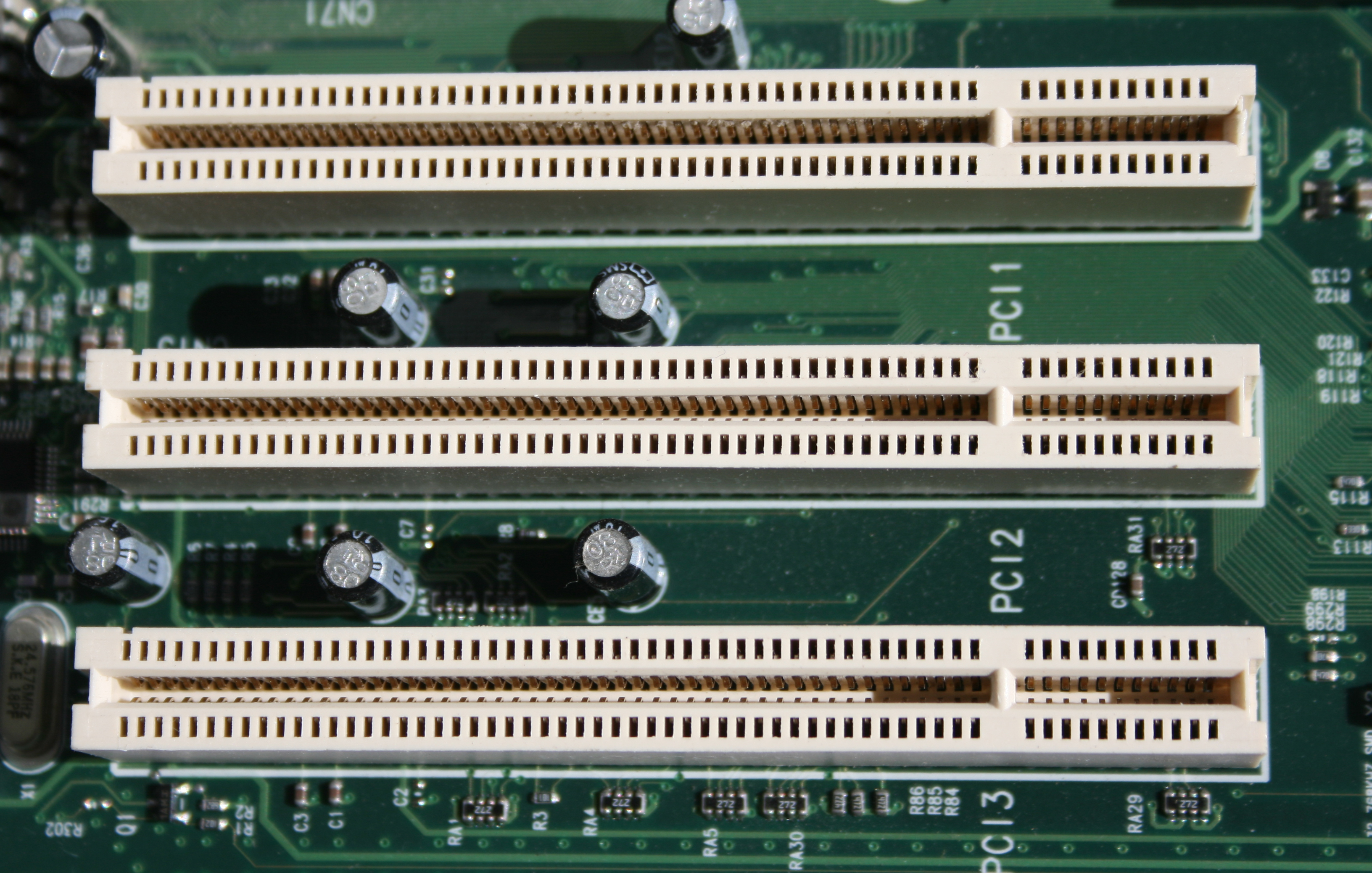
- PCI- connects to video and sound cards as well as network cards
- AGP- port for video cards
- IDE- interfaces with the hard drive
- USB and FireWire- external peripherals
Kobi Cohen
Oscar Betancourt
Sebastian Nicolosi
Friday, January 23, 2009
CPU: (central processing unit) the part of a computer, a microprocessor chip, that does most of the data processing.
Analog vs. Digital:A form of transmitting information characterised by continuously variable quantities, as opposed to digital transmission, which is characterised by discrete bits of information in numerical steps. An analogue signal is responsive to changes in light, sound, heat and pressure.

ESD Strap:A safety device used to channel static electricity to a proper ground while handling sensitive computer equipment. Electrostatic discharge (ESD) damage occurs when a release of stored static electricity travels from something such as a person's body into a conductor of a different potential, such as a computer being repaired. The ESD wrist strap safely channels the static electricity to a proper ground, typically the computer's chassis.
BIOS:(Basic Input/output System) The set of essential software routines that provides the basic interface between the hardware and the software operation system.

Battery: A combination of one or more electrochemical Galvanic cells which store chemical energy that can be converted into electric potential energy, creating electricity.

Binary Number System: base-2 number system, is a numeral system that represents numeric values using two symbols, usually 0 and 1. More specifically, the usual base-2 system is a positional notation with a radix of 2. Owing to its straightforward implementation in digital electronic circuitry using logic gates, the binary system is used internally by all modern computers. Bit: A contraction of Binary Digit. It is the smallest unit of information in a binary system. Bandwidth is usually measured in bits-per-second.

Mother board- A motherboard is the central printed circuit board in some complex electronic systems, such as modern personal computers.


Analog vs. Digital:A form of transmitting information characterised by continuously variable quantities, as opposed to digital transmission, which is characterised by discrete bits of information in numerical steps. An analogue signal is responsive to changes in light, sound, heat and pressure.
ESD Strap:A safety device used to channel static electricity to a proper ground while handling sensitive computer equipment. Electrostatic discharge (ESD) damage occurs when a release of stored static electricity travels from something such as a person's body into a conductor of a different potential, such as a computer being repaired. The ESD wrist strap safely channels the static electricity to a proper ground, typically the computer's chassis.
BIOS:(Basic Input/output System) The set of essential software routines that provides the basic interface between the hardware and the software operation system.
Battery: A combination of one or more electrochemical Galvanic cells which store chemical energy that can be converted into electric potential energy, creating electricity.
Binary Number System: base-2 number system, is a numeral system that represents numeric values using two symbols, usually 0 and 1. More specifically, the usual base-2 system is a positional notation with a radix of 2. Owing to its straightforward implementation in digital electronic circuitry using logic gates, the binary system is used internally by all modern computers. Bit: A contraction of Binary Digit. It is the smallest unit of information in a binary system. Bandwidth is usually measured in bits-per-second.
Byte - a basic unit of measurement of information storage in computer science. In many computer architectures it is a unit of memory addressing. There is no standard but a byte most often consists of eight bits.

CMOS - a major class of integrated circuits. CMOS technology is used in microprocessors, microcontrollers, static RAM, and other digital logic circuits. CMOS technology is also used for a wide variety of analog circuits such as image sensors, data converters, and highly integrated transceivers for many types of communication.

Chip - an integrated circuit (also known as IC, microcircuit, microchip, silicon chip, or chip) is a miniaturized electronic circuit (consisting mainly of semiconductor devices, as well as passive components) that has been manufactured in the surface of a thin substrate of semiconductor material. Integrated circuits are used in almost all electronic equipment in use today and have revolutionized the world of electronics.

Device Bay - a standard jointly developed by Compaq, Intel and Microsoft in 1997, as a simple way to add, remove, and share hardware devices. Originally intended to be introduced in the second half of 1998, Device Bay was never finalized and has long since been abandoned.

ESD - the sudden and momentary electric current that flows between two objects at different electrical potentials. The term is usually used in the electronics and other industries to describe momentary unwanted currents that may cause damage to electronic equipment.
Expansion Card Slot - a printed circuit board that can be inserted into an expansion slot of a computer motherboard to add additional functionality to a computer system.

Hard Drive - a non-volatile storage device which stores digitally encoded data on rapidly rotating platters with magnetic surfaces. Strictly speaking, "drive" refers to a device distinct from its medium, such as a tape drive and its tape, or a floppy disk drive and its floppy disk.

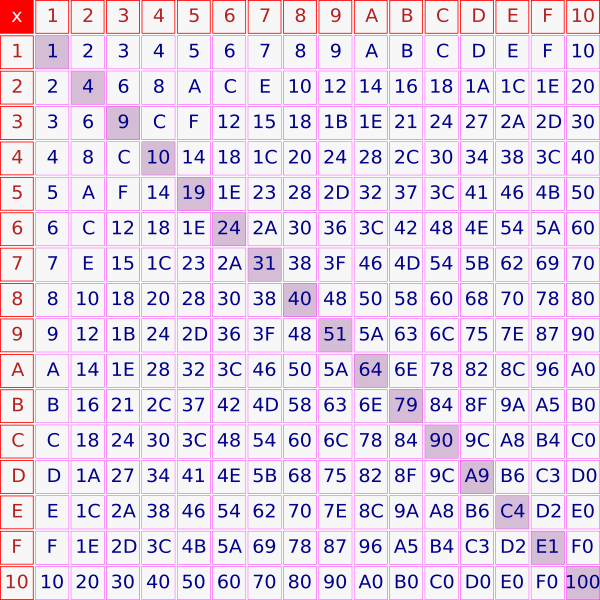
Hexadecimal Number System - a numeral system with a radix, or base, of 16. It uses sixteen distinct symbols, most often the symbols 0–9 to represent values zero to nine, and A, B, C, D, E, F (or a through f) to represent values ten to fifteen.
CMOS - a major class of integrated circuits. CMOS technology is used in microprocessors, microcontrollers, static RAM, and other digital logic circuits. CMOS technology is also used for a wide variety of analog circuits such as image sensors, data converters, and highly integrated transceivers for many types of communication.
Chip - an integrated circuit (also known as IC, microcircuit, microchip, silicon chip, or chip) is a miniaturized electronic circuit (consisting mainly of semiconductor devices, as well as passive components) that has been manufactured in the surface of a thin substrate of semiconductor material. Integrated circuits are used in almost all electronic equipment in use today and have revolutionized the world of electronics.
Device Bay - a standard jointly developed by Compaq, Intel and Microsoft in 1997, as a simple way to add, remove, and share hardware devices. Originally intended to be introduced in the second half of 1998, Device Bay was never finalized and has long since been abandoned.
ESD - the sudden and momentary electric current that flows between two objects at different electrical potentials. The term is usually used in the electronics and other industries to describe momentary unwanted currents that may cause damage to electronic equipment.
Expansion Card Slot - a printed circuit board that can be inserted into an expansion slot of a computer motherboard to add additional functionality to a computer system.
Hard Drive - a non-volatile storage device which stores digitally encoded data on rapidly rotating platters with magnetic surfaces. Strictly speaking, "drive" refers to a device distinct from its medium, such as a tape drive and its tape, or a floppy disk drive and its floppy disk.
Hexadecimal Number System - a numeral system with a radix, or base, of 16. It uses sixteen distinct symbols, most often the symbols 0–9 to represent values zero to nine, and A, B, C, D, E, F (or a through f) to represent values ten to fifteen.
Mother board- A motherboard is the central printed circuit board in some complex electronic systems, such as modern personal computers.
Hot swap- changing components without significant interruption to the system

RAM-integrated circuits that allow the stored data to be accessed in any order

Parallel Computing- a form of computation in which many calculations are carried out simultaneously

IDE Ribbons- are interface standards for the connection of storage devices such as hard disks, solid-state drives, and CD-ROM drives in computers.

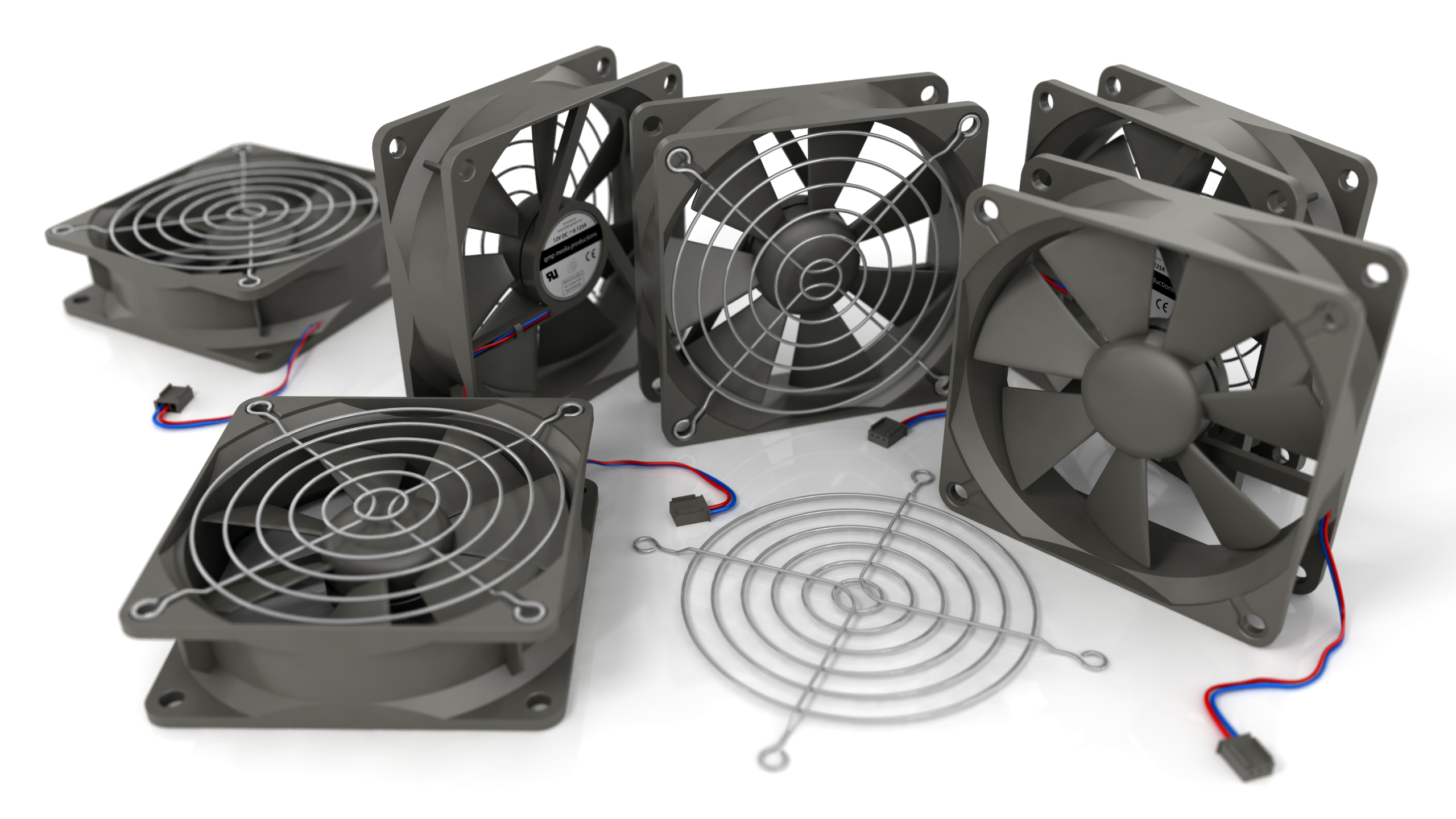
Cooling Fans-any fan inside a computer case used for cooling purposes, and may refer to fans that draw cooler air into the case from the outside, expel warm air from inside, or move air across a heatsink to cool a particular component.
Power-on-Self-Test- he common term for a computer, router or printer's pre-boot sequence. The same basic sequence is present on all computer architectures. It is the first step of the more general process called initial program load (IPL), booting, or bootstrapping.
PCI-a computer bus for attaching hardware devices in a computer. These devices can take either the form of an integrated circuit fitted onto the motherboard itself, called a planar device in the PCI specification or an expansion card that fits into a socket
Subscribe to:
Posts (Atom)